Steady State Sources
Overview
Used when performing a steady-state simulation. This component provides a steady-state (DC) source that can supply either a fixed voltage or current between its two terminals. It is an ideal component, meaning it maintains a constant output regardless of the connected load.
DC Voltage Source
Provides a fixed potential difference across its terminals with zero internal resistance, described by:
DC Current Source
Provides a fixed current to the circuit with infinite internal resistance, described by:
Parameters
| Name | Description | Unit |
|---|---|---|
Name | A unique identifier for the component. | - |
Values | A list of voltage or current points for the DC source. | Volts or Amps |
Usage Instructions
tip
For instructions on adding a component to the simulation circuit, click here.
The DC Source Properties properties window window allows you to configure the parameters for a DC source.
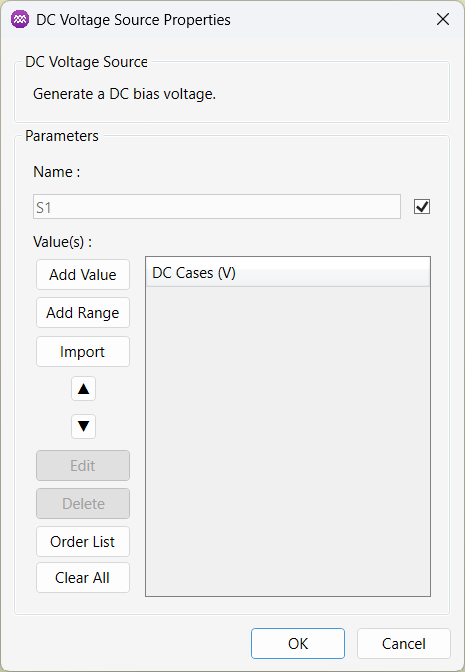
The steps below show how to configure the component effectively.
Adding Points
- Click
Add Valueto add individual points. - Use
Add Rangeto specify a range of values with a fixed spacing. - Alternatively, you can
Importa list of values from an external CSV file.
Organising Points
- Use the
▲and▼buttons to reorder the values in the list. - Click
Order Listto automatically sort the values in ascending order. - Use
Clear Allto remove all values from the list.
Edit or Remove Entries
- Select a value from the list and click
Editto modify it. - Use
Deleteto remove a selected entry.
Apply the Configuration
- Once all parameters are set, click
OKto save the changes. - Click
Cancelto discard any changes and close the window.